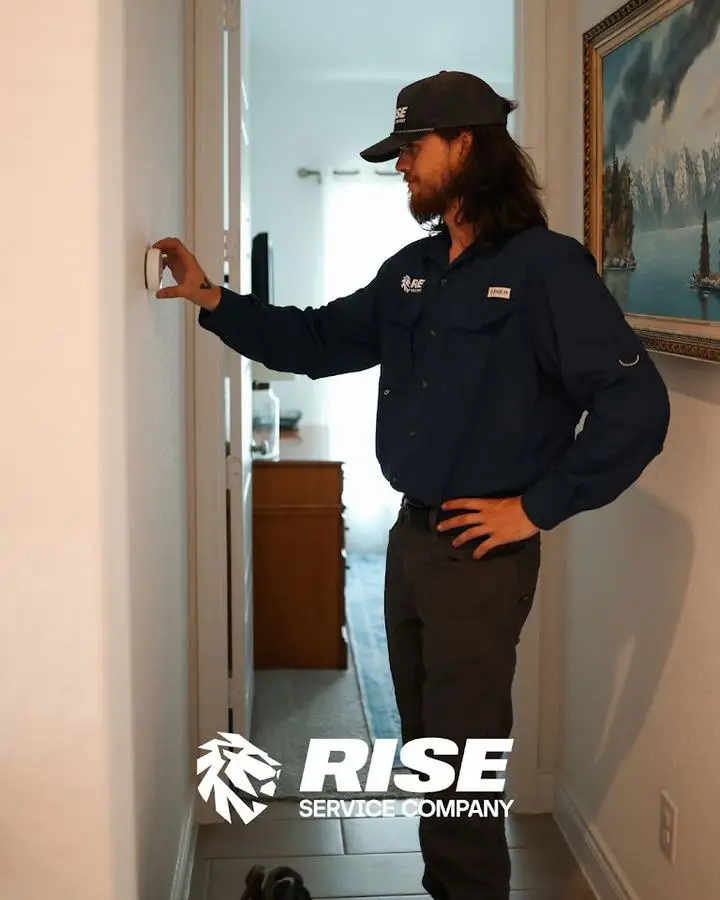
“My thermostat is blank” is one of the most common things we hear, and it is a useful symptom because it narrows things down fast. Sometimes the thermostat has died. Just as often it is a sign that something upstream, like a tripped float switch or a blown low-voltage fuse, has cut power to it. Here is how to tell which one you have before you call, and what we do when we come out.
Blank screen: three things to check
- Batteries. Many thermostats, including some smart ones, run on batteries or use them as backup. Pop the faceplate off and swap them. If the screen comes back, you are done.
- The breaker and the furnace switch. Thermostats are powered by the air handler or furnace. If that breaker is tripped, or the light-switch-looking disconnect at the furnace is off, the thermostat goes dark.
- Water at the indoor unit. If the drain pan has a float switch and the drain line clogged, the switch cuts power to the system to prevent a flood, and the thermostat goes blank with it. Look for water around the air handler. If you find it, the thermostat is fine; the drain needs clearing. Our post on what to check when the AC stops cooling covers the drain line.
If none of those bring it back, the usual culprits are a blown 3- or 5-amp fuse on the control board, a shorted thermostat wire, or a failed transformer. Those are a quick fix for a technician and not something to chase with a multimeter on a Saturday.
The screen is on but the system ignores it
This is the other half of thermostat calls. The thermostat says 72, the house is 80, and nothing is running. A few things to look at:
- Mode and schedule. Smart thermostats love schedules, eco modes and “away” settings that override what you set. Check that it is in Cool (or Heat), not Off or Eco.
- Heat pump set up as a furnace. This one is common after a DIY smart thermostat install. A heat pump wired or configured as a conventional system will blow cold in heat mode or run the backup strips nonstop. If your bill jumped after a new thermostat, this is the first thing we check.
- Thermostat location. A thermostat in the afternoon sun, next to a supply vent or in a dead-end hallway reads the wrong air. The house feels wrong even though the thermostat is doing its job. Relocating it is sometimes the whole fix.
Smart thermostat will not connect or keeps rebooting
Nine times out of ten this is a missing C-wire. Smart thermostats need constant power; older wiring often has no common wire, so the thermostat steals power through the system and reboots or drops Wi-Fi. The fix is a C-wire adapter or running the extra conductor. We do this routinely when we install Nest, Ecobee and Honeywell units.
What a thermostat visit with Rise looks like
We test the low-voltage circuit first, because a thermostat replacement does not help if a shorted wire blows the new one too. Then we match the thermostat to the equipment: heat pumps, two-stage systems and dehumidifiers all need the right settings. If you want a smart thermostat, we mount it, wire it, join it to Wi-Fi and set it up on your phone before we leave. If yours is fine and the real problem is the system, we tell you that and give you the repair price before any work.
Where we do thermostat repair and installation
Anywhere we service the rest of the system: Seguin, New Braunfels, Cibolo, Canyon Lake and the I-35 corridor within about 50 miles of our shop.
Quick questions
Can I install a smart thermostat myself? On a simple AC-plus-furnace with a C-wire, usually yes. On a heat pump, a system without a C-wire or two-stage equipment, the wiring is easy to get wrong, and the wrong configuration costs real money every month.
Which smart thermostat is best for Texas? Any of the major brands work well here. What matters is that it is set up for your equipment type. We will tell you which fits your system.
Is a blank thermostat an emergency? Only if the house is dangerously hot. Otherwise it is a normal repair call. If it is a hot day and you have no cooling, see our emergency AC repair post for what to do while you wait.
Details on the thermostat repair and installation page, or send us a note with what the screen is doing.
Related from the Rise crew

Written by
Jake Pettit · Owner, Rise Service CompanyJake owns Rise Service Company, a family-owned heating and air company in Seguin serving New Braunfels and the I-35 corridor. He writes about real service calls and honest repair-or-replace advice. Texas HVAC license TACLA158258E.